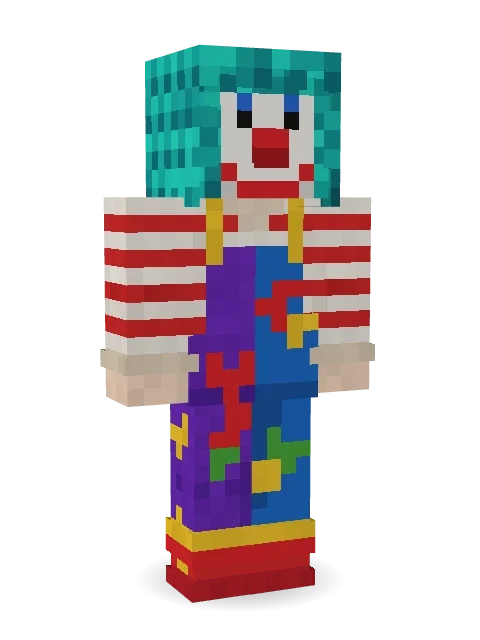
Confetti Clown
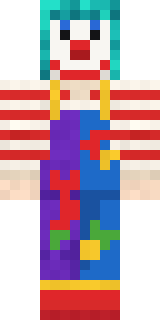
The life of every party: big curly teal hair, a red nose and a painted smile, a striped shirt and baggy patchwork overalls covered in splats.

How to use this skin
Download it, then follow the steps for where you play.
Minecraft: Java Edition, in the Minecraft Launcher
- Open the Minecraft Launcher and pick Minecraft: Java Edition on the left.
- Open the Skins tab at the top and press New skin.
- Give it a name and choose the player model: Classic.
- Press Browse, pick the PNG you downloaded, then Save & Use.
- Start the game: you are wearing it, on every world and server.
Minecraft: Java Edition, on minecraft.net
- Go to minecraft.net and log in with your Microsoft account.
- Open your Profile and find the skin settings of Java Edition.
- Choose Classic, select the PNG file, and press Upload.
- Your new skin shows the next time you join a world.
Bedrock Edition: Windows, Android, iPhone, iPad, Chromebook
- Open Minecraft and press Dressing Room on the main menu (in newer versions, the character button next to your name, then Edit Character).
- Open the Classic Skins tab.
- Under Owned Skins, press Import, then Choose New Skin.
- Pick the PNG you downloaded (on a phone it is usually in Downloads or Files).
- When it asks, choose Classic, then confirm.
Xbox, PlayStation and Nintendo Switch
Consoles cannot import a skin file. There you can wear Character Creator items and skins from the Marketplace.
Some players set a skin in Bedrock on a phone or PC that is signed in to the same Microsoft account and see it on their console too. Mojang does not support that, so it may not work for you.
More by Build It












Similar skins



















Trending today
What people open and download right now.
Trending today
The skins people are opening, liking and downloading right now.



- Modern HoodiebyBuild It
- Enderbrineby
 gustavopir
- Napoleon BonapartebyBuild It
- Galaxy AxolotlbyBuild It
- Shy KidbyBuild It
- Ancient Hexby
 nvlr33
- The KingbyBuild It
- Hazmat ResponderbyBuild It
- The VoidbyBuild It
- Buff ChickenbyBuild It
Made on Build It
A few of the skins players made here. Find one you like, or start your own.
 Bumpy Pickle
 Late Night Gamer
 Fox Blacksmith
 Circuit Board Monk
 Clockwork Owl
 Park Ranger
 Honey Toast
 Masked Night Prowler
 Train Conductor
 Twilight Rogue
 Jellybean Thief
 Paper Bag Bandit
 Espresso Cozy
 Rodeo Star
 Busy Bee
 Captain Saltbeard
 Scarlet Sellsword
 Armadillo Mercenary
 Cobalt Cyber Ninja
 Roman Legionary
 Hallway Shadow
 Midnight Hoodie
 Midnight Ferryman
 Ghost King
 leo
 Noir Detective
 Ronin Samurai
 Haunted Bowling Champion
 Ink Wizard
 Shadow Ninja
 Chestnut Warrior
 Haunted Arcade Robot
 Velvet Vampire
 Woodland Scout
 Wolfgang Amadeus Mozart
 Camo CommandoThe Forehead Man
 Cleopatra
 Ghost Concierge
 Bistro Chef
 Forgotten Funeral Guest
 Berg
 herobrine
 Platinum Angel
 Cursed Chess Bishop
 Robin Hood
 Emerald Alchemist
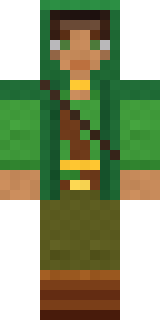 Moss Ranger
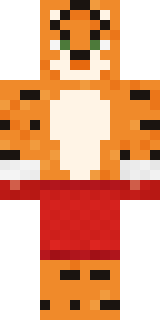 Tiger Champ
 Orc Warrior
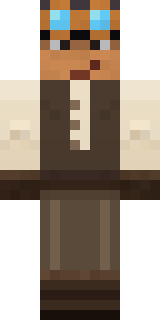 Clockwork Inventor
 Neon DJ
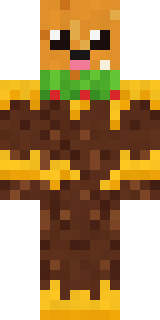 Cheeseburger Buddy
 Jake
 Haunted Laundry Worker
 Crimson Builder
 Patchwork Teddy Bear
 Lacquered Samurai
 Downtown Pig
 Balduíno IV
About Confetti Clown
Confetti Clown is a meme Minecraft skin from the Build It team. Its look puts together a striped, patchwork clown overalls, sneakers and clown face paint, mostly red with touches of white and purple. It is guaranteed to make your friends laugh.
It uses the classic arms (4 pixels wide, like Steve) and works on Java and Bedrock. Download it for free, then follow the steps above to wear it in game. Open it in the Build It Skin Maker to give it your own colours. Try its 7 colour versions too, like Rainbow hair and Orange hair.
See more in the Cute and Funny collections, or browse the Cute, Funny and Retro tags.