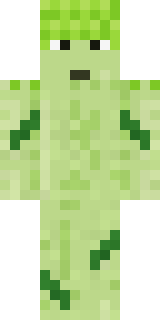
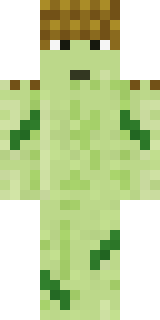
Grumpy Broccoli
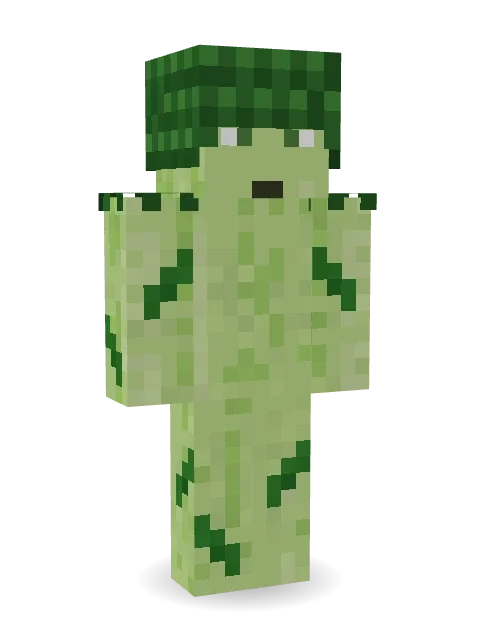
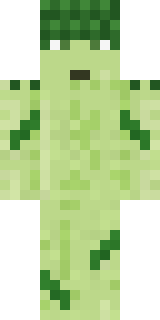
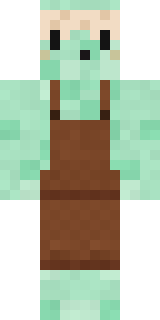
Does not want to be eaten, thank you very much: a big puffy crown of florets, a pale green stalk body, little leaves and a grumpy face.

How to use this skin
Download it, then follow the steps for where you play.
Minecraft: Java Edition, in the Minecraft Launcher
- Open the Minecraft Launcher and pick Minecraft: Java Edition on the left.
- Open the Skins tab at the top and press New skin.
- Give it a name and choose the player model: Classic.
- Press Browse, pick the PNG you downloaded, then Save & Use.
- Start the game: you are wearing it, on every world and server.
Minecraft: Java Edition, on minecraft.net
- Go to minecraft.net and log in with your Microsoft account.
- Open your Profile and find the skin settings of Java Edition.
- Choose Classic, select the PNG file, and press Upload.
- Your new skin shows the next time you join a world.
Bedrock Edition: Windows, Android, iPhone, iPad, Chromebook
- Open Minecraft and press Dressing Room on the main menu (in newer versions, the character button next to your name, then Edit Character).
- Open the Classic Skins tab.
- Under Owned Skins, press Import, then Choose New Skin.
- Pick the PNG you downloaded (on a phone it is usually in Downloads or Files).
- When it asks, choose Classic, then confirm.
Xbox, PlayStation and Nintendo Switch
Consoles cannot import a skin file. There you can wear Character Creator items and skins from the Marketplace.
Some players set a skin in Bedrock on a phone or PC that is signed in to the same Microsoft account and see it on their console too. Mojang does not support that, so it may not work for you.
More by Build It












Similar skins











Trending today
What people open and download right now.
Trending today
The skins people are opening, liking and downloading right now.




- Galaxy AxolotlbyBuild It
- Modern HoodiebyBuild It
- Enderbrineby
 gustavopir
- The VoidbyBuild It
- Napoleon BonapartebyBuild It
- Buff ChickenbyBuild It
- Shy KidbyBuild It
- The KingbyBuild It
- Sky PiratebyBuild It
- Hazmat ResponderbyBuild It
Made on Build It
A few of the skins players made here. Find one you like, or start your own.
 Patchwork Teddy Bear
 Beetroot DJ
 Harvest Farmer
 Tin Toy Soldier
 Alien Tourist
 Candy Baker
 Owl ProfessorApple Orchard Guardian
 Flamehunter
 Ocean Diver
 Ballroom Dancer
 Sleepy Mummy
 Redstone Inventor
 Vampire Aristocrat
 Penguin TouristModern Hoodie
 Mossy Troll
 Desert Astronomer
 Crow Undertaker
 Stained Glass Mage
 Camo Commando
 Periwinkle Rainwear
 Cherry Blossom Streetwear
 Bookworm
 Enderdude
 Haunted Bowling Champion
 Dreamweaver
 Lilac Ballerina
 Parrot Captain
 Ravioli Wrestler
 Rotting Walker
 Lick
 Fire Elemental
 Ladybug Mechanic
 Giga Chad
 Dragonfly Courier
 Grumpy Thundercloud
 Full Moon Werewolf
 Prism Slime
 Wolfgang Amadeus Mozart
 Clockwork Owl
 Rainy Day
 Sunken Knight
 Axolotl Adventurer
 Jade Monk
 Yellow hazmat suit
 Crimson Builder
 Stone Face Statue
 Retro Fridge RobotSlender Man
 Pitch Playmaker
 Little Dragon
 Skeleton Costume
 Masked Night ProwlerArmy Soldier
 Honey Bee
 Tattered Scarecrow
 Midnight Baker
 Crimson Templar
 Jesus Christ
About Grumpy Broccoli
Meet Grumpy Broccoli, a food Minecraft skin from the Build It team. Its colours are green. It is a grumpy broccoli from head to toe. A silly pick for minigames, parkour and party servers.
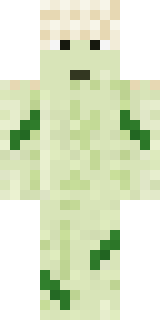
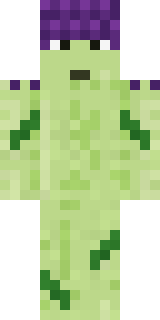
It uses the classic arms (4 pixels wide, like Steve) and works on Java and Bedrock. It is free: download the PNG and add it in the Minecraft Launcher (Java) or the dressing room (Bedrock). Want it your way? Open it in the Build It Skin Maker and change its colours and pieces. Try its 7 colour versions too, like Cauliflower and Purple sprouting.
See more in the Food and Nature collections, or browse the Food, Nature and Plant tags.