Loading Screen Gamer
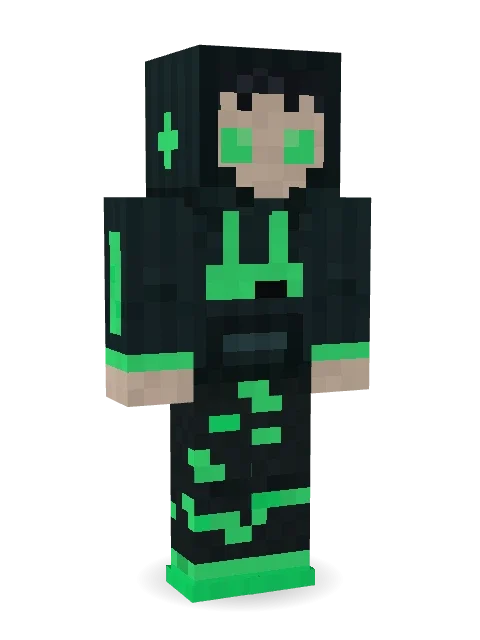
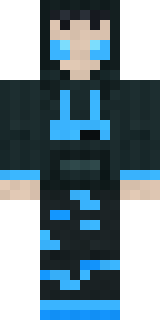
Has been waiting for the same match to load since last night: a dark hood up, tired glowing eyes and a neon green loading bar stuck halfway across the chest.

How to use this skin
Download it, then follow the steps for where you play.
Minecraft: Java Edition, in the Minecraft Launcher
- Open the Minecraft Launcher and pick Minecraft: Java Edition on the left.
- Open the Skins tab at the top and press New skin.
- Give it a name and choose the player model: Classic.
- Press Browse, pick the PNG you downloaded, then Save & Use.
- Start the game: you are wearing it, on every world and server.
Minecraft: Java Edition, on minecraft.net
- Go to minecraft.net and log in with your Microsoft account.
- Open your Profile and find the skin settings of Java Edition.
- Choose Classic, select the PNG file, and press Upload.
- Your new skin shows the next time you join a world.
Bedrock Edition: Windows, Android, iPhone, iPad, Chromebook
- Open Minecraft and press Dressing Room on the main menu (in newer versions, the character button next to your name, then Edit Character).
- Open the Classic Skins tab.
- Under Owned Skins, press Import, then Choose New Skin.
- Pick the PNG you downloaded (on a phone it is usually in Downloads or Files).
- When it asks, choose Classic, then confirm.
Xbox, PlayStation and Nintendo Switch
Consoles cannot import a skin file. There you can wear Character Creator items and skins from the Marketplace.
Some players set a skin in Bedrock on a phone or PC that is signed in to the same Microsoft account and see it on their console too. Mojang does not support that, so it may not work for you.
More by Build It












Similar skins

















Trending today
What people open and download right now.
Trending today
The skins people are opening, liking and downloading right now.

- Ancient Hexby
 nvlr33
- Modern HoodiebyBuild It
- Galaxy AxolotlbyBuild It
- Shy KidbyBuild It
- Hazmat ResponderbyBuild It
- Napoleon BonapartebyBuild It
- The VoidbyBuild It
- The KingbyBuild It
- Slender ManbyBuild It
- Buff ChickenbyBuild It
Made on Build It
A few of the skins players made here. Find one you like, or start your own.
 Possum Garbage Collector
 Dwarven Mountain King
 Emotional Support Pickle
 Shadow Ninja
 Tropical Fish
 Cursed Corporate Computer
 Honeycomb Automaton
 White Striped
 Neon Courier
 Curly Barista
 Little Toadstool
 Midnight Snack Thief Raccoon
 Desert Djinn
 Mint Macaron Mascot
 lonely girl
 Spotted Fawn
 Retro Waitress
 Moon Petal
 Autumn Leaf Sprite
 the winter cat skin
 Espresso Cozy
 Desert Nomad
 Astronaut
 Crystal Cave Explorer
 Brown Bear
 Missing Texture Person
 Deep Space Janitor
 Disco Chameleon
 Sleepy Sheep
 Bookstore Owner
 Doorbell Camera Visitor
 Chill Pond Frog
 Living Pineapple
 lord Vampire
 Scarlet Sellsword
 Bronze Age Warrior
 Mushroom Druid
 Cyan Tinker FairyPenguin Tourist
 Fern Forest Sprite
 Armadillo Mercenary
 Potion Shopkeeper
 Ruby Dragonborn
 Bubblegum Robot
 Valentine Heart Hoodie
 Water Elemental
 One Brain Cell Cat
 Friendly Dentist
 Desert Rose
 Arcade Janitor
 Pastel Goth
 Halloween Vampire
 Clockwork Inventor
 Cursed Chess Bishop
 Sandstone Guardian
 Shark Bite
 Earth Elemental
 Shrimp Mechanic
 Copper Engineer
 Light Elemental
About Loading Screen Gamer
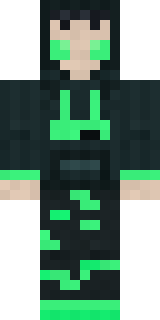
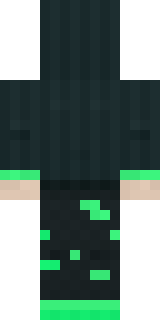
Meet Loading Screen Gamer, a funny Minecraft skin made by the Build It team. It wears a loading bar hoodie, glitch patch joggers and sneakers in black, teal and green. Not serious at all, and that is the point.
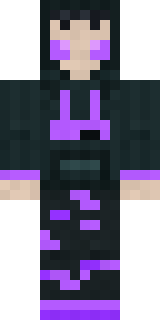
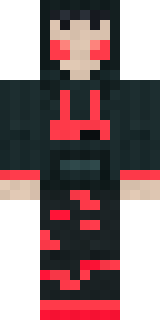
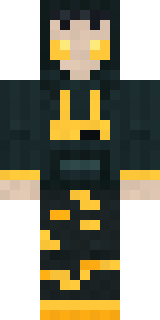
It uses the classic arms (4 pixels wide, like Steve) and works on Java and Bedrock. Download it for free and upload it in the Minecraft Launcher or the Bedrock dressing room. Open it in the Build It Skin Maker to give it your own colours. Try its 7 colour versions too, like Purple loading and Blue loading.
Find more skins like it in the Streetwear and Funny collections, or browse the Funny, Gamer and Hoodie tags.