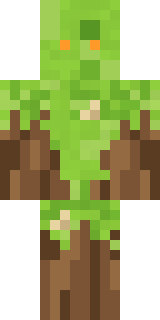
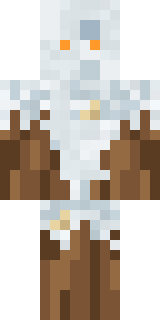
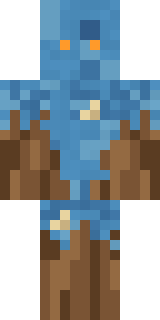
Nature Elemental
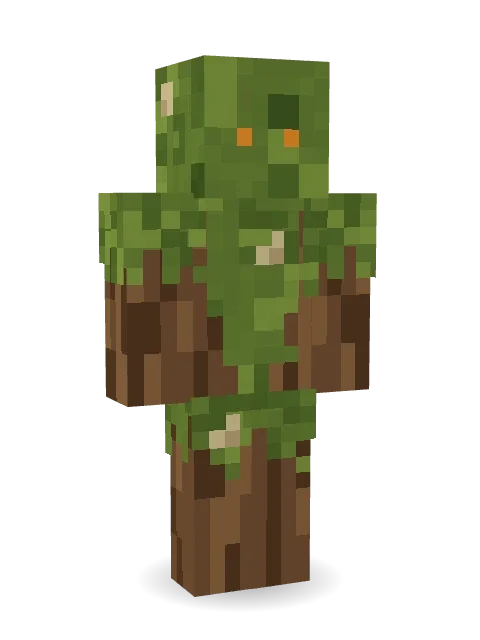
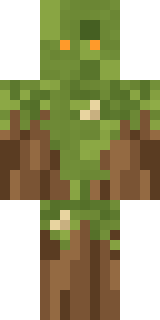
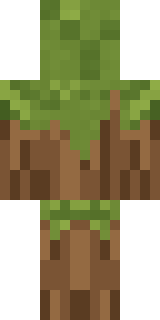
Wakes up once a century to check on the forest: a body of brown bark draped in olive moss, pale lichen patches and two small glowing orange eyes.
How to use this skin
Download it, then follow the steps for where you play.
Minecraft: Java Edition, in the Minecraft Launcher
- Open the Minecraft Launcher and pick Minecraft: Java Edition on the left.
- Open the Skins tab at the top and press New skin.
- Give it a name and choose the player model: Classic.
- Press Browse, pick the PNG you downloaded, then Save & Use.
- Start the game: you are wearing it, on every world and server.
Minecraft: Java Edition, on minecraft.net
- Go to minecraft.net and log in with your Microsoft account.
- Open your Profile and find the skin settings of Java Edition.
- Choose Classic, select the PNG file, and press Upload.
- Your new skin shows the next time you join a world.
Bedrock Edition: Windows, Android, iPhone, iPad, Chromebook
- Open Minecraft and press Dressing Room on the main menu (in newer versions, the character button next to your name, then Edit Character).
- Open the Classic Skins tab.
- Under Owned Skins, press Import, then Choose New Skin.
- Pick the PNG you downloaded (on a phone it is usually in Downloads or Files).
- When it asks, choose Classic, then confirm.
Xbox, PlayStation and Nintendo Switch
Consoles cannot import a skin file. There you can wear Character Creator items and skins from the Marketplace.
Some players set a skin in Bedrock on a phone or PC that is signed in to the same Microsoft account and see it on their console too. Mojang does not support that, so it may not work for you.
More by Build It












Similar skins























Trending today
What people open and download right now.
Trending today
The skins people are opening, liking and downloading right now.

- Modern HoodiebyBuild It
- Enderbrineby
 gustavopir
- Napoleon BonapartebyBuild It
- Galaxy AxolotlbyBuild It
- The KingbyBuild It
- Shy KidbyBuild It
- Hazmat ResponderbyBuild It
- herobrinebygustavopir
- The VoidbyBuild It
- Starfield PhantombyBuild It
Made on Build It
A few of the skins players made here. Find one you like, or start your own.
Modern Hoodie Flamehunter
 Frankenstein's CreatureTemplar Knight
 Bear Lumberjack
 Pitch Playmaker
 Copper Golem
 Plum Jester
 Retro Waitress
 Sweater Weather
 Alice
 Forest Elf
 Hot Springs Innkeeper
 Fossil Museum Curator
 Concrete Builder
 Unimpressed Office Clerk
 Blue Corset blouse
 Axolotl Adventurer
 Dwarf Miner
 Doorbell Camera Visitor
 Electrician
 Lunar Botanist
 Starlight Wizard
 Ember Battle Mage
 the winter cat skin
 Rookie Boxer
 Wolfgang Amadeus Mozart
 Otter Fisher
 Grumpy Thundercloud
 Crocodile Detective
 Market Butcher
 Gothic Librarian
 Jellybean ThiefWoodland Dryad
 Lighthouse Keeper
 Grey Suit and tie
 Ender Shade
 Santa Claus
 Axolotl Cutie
 Strawberry Cow
 Tattered Scarecrow
 Chill Pond Frog
 Ward Doctor
 Downtown Pig
 Mixtape Cassette Head
 Snow Leopard
 Possum Garbage Collector
 Tide Pool Spirit
 Count Nightfall
 Prom Queen Zombie
 Rally Mechanic
 Inmate 3742
 Goldfish Space Cadet
 Dungeon Accountant
 Honeycomb Automaton
 Garden Gnome
 Rodeo Star
 Sailor Duck
 Infected Sven
 Arcade Janitor
About Nature Elemental
Meet Nature Elemental, an eerie Minecraft skin made by the Build It team. It comes in brown and green. It is a mossy bark elemental from head to toe. Wear it to creep through dark caves and abandoned mansions.
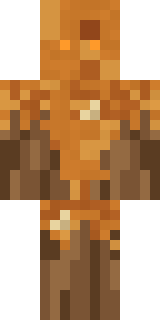
It uses the classic arms (4 pixels wide, like Steve) and works on Java and Bedrock. Download it for free and upload it in the Minecraft Launcher or the Bedrock dressing room. Open it in the Build It Skin Maker to give it your own colours. Try its 7 colour versions too, like Autumn moss and Spring moss.
Find more skins like it in the Spooky and Fantasy collections, or browse the Fantasy, Monster and Nature tags.