Silver Moon
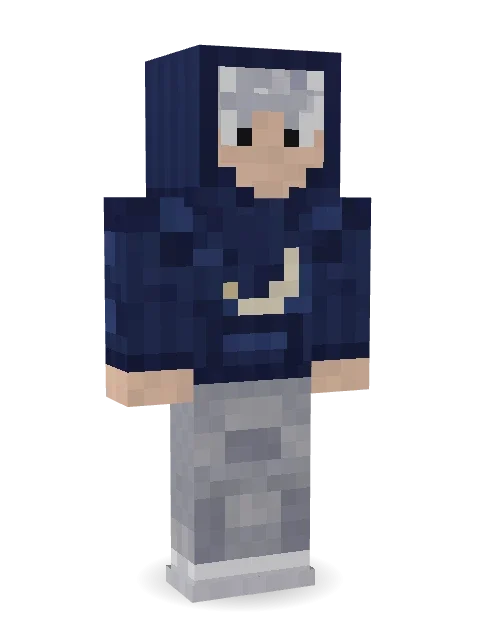
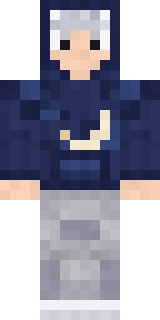
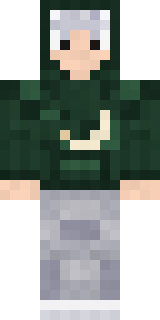
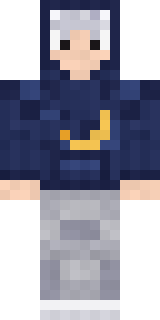
Only really wakes up once the moon is out: messy silver hair under a navy hood, a crescent moon on the chest and light grey sweatpants.
How to use this skin
Download it, then follow the steps for where you play.
Minecraft: Java Edition, in the Minecraft Launcher
- Open the Minecraft Launcher and pick Minecraft: Java Edition on the left.
- Open the Skins tab at the top and press New skin.
- Give it a name and choose the player model: Classic.
- Press Browse, pick the PNG you downloaded, then Save & Use.
- Start the game: you are wearing it, on every world and server.
Minecraft: Java Edition, on minecraft.net
- Go to minecraft.net and log in with your Microsoft account.
- Open your Profile and find the skin settings of Java Edition.
- Choose Classic, select the PNG file, and press Upload.
- Your new skin shows the next time you join a world.
Bedrock Edition: Windows, Android, iPhone, iPad, Chromebook
- Open Minecraft and press Dressing Room on the main menu (in newer versions, the character button next to your name, then Edit Character).
- Open the Classic Skins tab.
- Under Owned Skins, press Import, then Choose New Skin.
- Pick the PNG you downloaded (on a phone it is usually in Downloads or Files).
- When it asks, choose Classic, then confirm.
Xbox, PlayStation and Nintendo Switch
Consoles cannot import a skin file. There you can wear Character Creator items and skins from the Marketplace.
Some players set a skin in Bedrock on a phone or PC that is signed in to the same Microsoft account and see it on their console too. Mojang does not support that, so it may not work for you.
More by Build It












Similar skins















Trending today
What people open and download right now.
Trending today
The skins people are opening, liking and downloading right now.
- Ancient Hexby
 nvlr33
- Modern HoodiebyBuild It
- Galaxy AxolotlbyBuild It
- Shy KidbyBuild It
- Napoleon BonapartebyBuild It
- The KingbyBuild It
- Hazmat ResponderbyBuild It
- Buff ChickenbyBuild It
- The VoidbyBuild It
- Slender ManbyBuild It
Made on Build It
A few of the skins players made here. Find one you like, or start your own.
 Doorbell Camera Visitor
 Snow Leopard HackerCoral Reef Sorceress
 Secret Agent
 Rally Mechanic
 Dune Racer
 Safari Cat
 Beekeeper
 Ink Monster Teacher
 Leonardo da Vinci
 The Mummy
 Porcelain Knight
 Lemon Jazz Singer
 Giga Chad
 Beach Lifeguard
 Emo Kid
 Graffiti Phantom
 Marmot Mountain Climber
 Retro Fridge Robot
 Axolotl Cutie
 Dwarven Mountain King
 Autumn Leaf Sprite
 Vampire guy
 Blue Corset blouse
 Bookworm
 White Rabbit
 Terracotta Turtle
 Noir Detective
 Haunted Laundry Worker
 Cotton Candy Vendor
 Wolfgang Amadeus Mozart
 Shroud Ghost
 Tornado Chaser
 Possum Garbage Collector
 Sea Urchin Punk
 the winter cat skin
 Spider Silk Merchant
 Dandelion Spirit
 Chocolate Chip Cookie
 Arcade Janitor
 Icy Blue Winter
 Office Zombie
 Crimson Builder
 Cardboard Robot Kid
 Parrot Captain
 Ocean Diver
 Peacock Guard
 Infected Sven
 Grinning Shade
 king herobrine
 Void Wanderer
 Patchwork Plush MonsterThe King
 Chill Pond Frog
 Cherry Blossom Streetwear
 Steampunk Inventor
 Isaac Newton
 Background Extra
 Ballroom Dancer
 Obsidian Knight
About Silver Moon
Silver Moon is a fresh Minecraft skin from the Build It team. The outfit: a crescent navy hoodie, soft grey sweatpants and sneakers with a blue and grey colour scheme. An easy everyday look for survival, minigames and hanging out with friends.
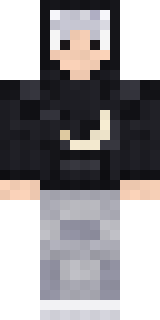
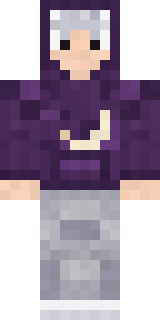
It uses the classic arms (4 pixels wide, like Steve) and works on Java and Bedrock. Download it for free and upload it in the Minecraft Launcher or the Bedrock dressing room. Want it your way? Open it in the Build It Skin Maker and change its colours and pieces. It also comes in 7 colour versions, like Black hoodie and Plum hoodie.
See more in the Streetwear collection, or browse the Aesthetic, Hoodie and Night tags.